
Review feedback & investigate logs
Follow user feedback in context and inspect activity when something needs investigation.
Filter the feedback inbox
Open More.. → User Feedback. Filter by date, Type, Sentiment, or Status, then choose Apply. Clear removes the filters; Download CSV exports the feedback view.

Types include chat, embedded chat, Nugget, and general feedback. Where an embedded experience collects a recommendation score, the inbox can also show NPS. Missing scores are not zero scores.
Review an item in context
Open an inbox row. Feedback Summary identifies the feedback and its topic. Chat Context, Sources / Details, Talvi Nugget, and attached images appear as applicable. General feedback may have no linked chat or sources.
Add an Admin note, choose New, Issue, or Reviewed, and select Save status. Use the note to record the finding or next action. Saving a review status does not send a reply to the user.

The end-user feedback guide explains how thumbs-up, thumbs-down, and general feedback reach this workflow.
Investigate logs
Open More.. → Logs Viewer. Select the relevant Log Type, set From and Until, and use the optional text search to narrow the results. Types include requests, agent responses, errors, sign-ins, data imports, and report generation.
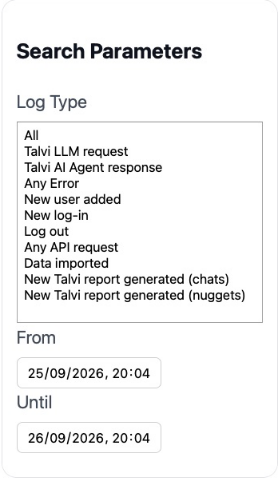
Select View on an event to open Log Details. The detail panel offers Copy and Download. Use Export for a broader result set and retrieve completed exports under Log Exports.
For one agent’s conversations or reports, open its custom agent workspace. Record the relevant time and agent when escalating an issue, and avoid sharing unrelated user conversations or credentials from logs.