
Create Dataset
Upload a knowledge collection and follow its import and dataset preparation.
Configure the dataset
Choose More.. → Super Admin → Create Dataset, then Upload Files. Provide a Dataset description and choose an existing dataset or Create a new dataset. For a new collection, enter its name.
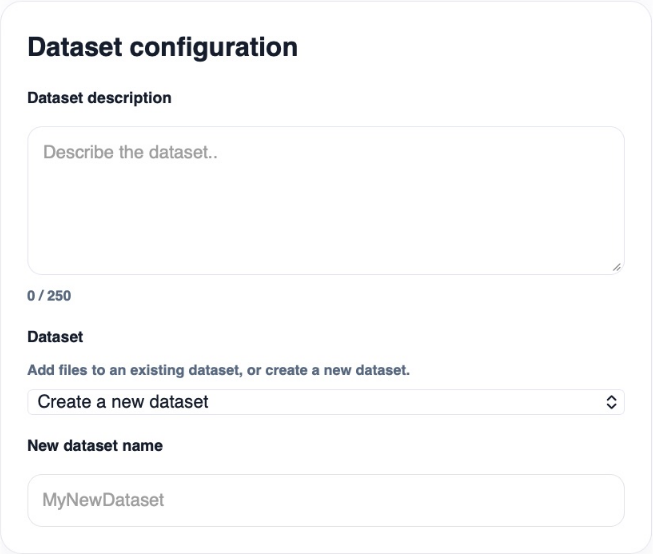
Use a clear name that helps administrators distinguish the collection. The description can be up to 250 characters.
Upload source files
Drag files into the upload area or browse your device, then select Upload Files. The total upload limit shown is 2 GB. Large audio, video, and SCORM files can take time to transfer and process.
See supported file types for format details. This upload flow handles files from your device; use Data Import for configured external sources and recurring syncs.
Follow dataset activity
Return to Create Dataset and review Dataset activity. The table separates Import data from Create dataset database, so a completed upload does not necessarily mean every preparation step has finished. Use Refresh for the latest status.
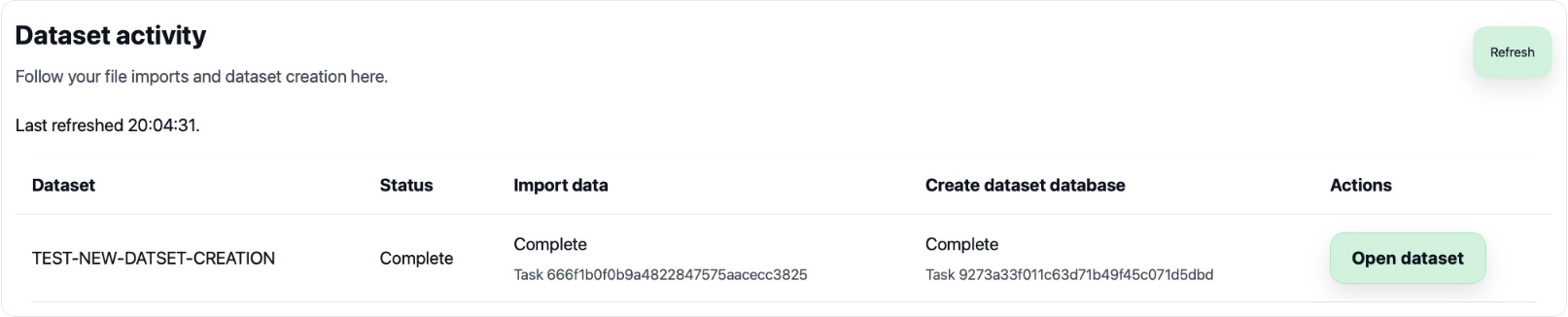
When complete, select Open dataset to inspect the result in File Management. Select that dataset in AI Agent Studio to use its knowledge in a custom agent.