
Ask your first question
A practical walkthrough from choosing your assistant to checking a source-backed answer.
Find your way around
Get Answers combines the conversation and source viewer with Chat History, Talvi Nuggets, and Help & Support. The agent selector and Agent Skills sit above the conversation when the agent header is enabled.
Ask a focused question
- Check the agent name. The example screenshots use Claude test AI Agent, which contains the payslip course.
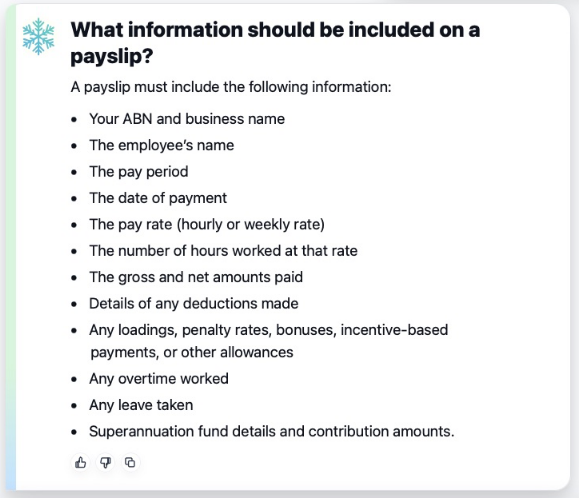
- Type a specific question, such as “What information should be included on a payslip?”
- Select Send or press Enter. Use Shift + Enter for a new line.
- Wait while Talvi searches and prepares the answer. The input and Send button are disabled during processing.
- Read the response and open the supporting material under View Sources.
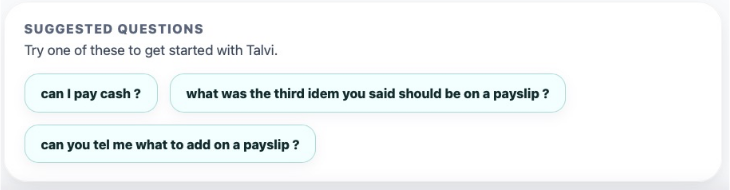
Suggested questions are shortcuts to begin with topics configured for the agent. Selecting one sends that question. Some mentor agents begin with their own introductory prompt instead.

Read and check the response
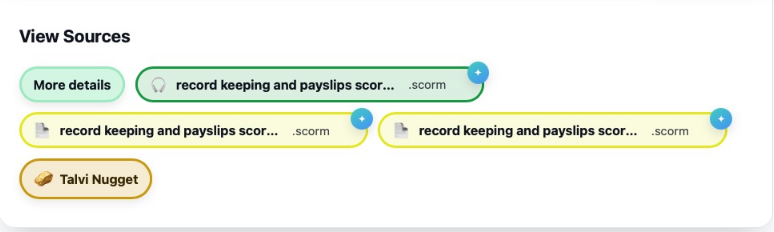
The response gives you an initial answer. More details opens the longer response when one is available. The copy icon copies answer text; your own question also has a copy control. In source-backed answers, source chips lead to the original material. Selecting an older answer in the conversation restores that answer’s sources.
In this example, Talvi returned three links into the same payslip course. Multiple chips can refer to different relevant parts of one file. See source navigation, media timestamps, and SCORM modules.
Write follow-up questions clearly
The built-in guide describes standard requests as fresh queries. Include the subject in each question rather than relying on “the third item” or “that thing”. For example, ask “Which deductions should be shown on the payslip?”
For a question focused on one source, use Talvi Coach. Mentor with Memory is a separate agent behavior that can use saved user context; do not assume every agent has conversational memory.
Use voice input
Select the microphone if your browser supports voice recognition, then allow microphone access if prompted. Recognised speech is placed in the question box. Review the transcription and select Send; transcription does not submit automatically. Recognition is configured for US English in this edition. If the microphone is disabled or permission is denied, type your question instead.
When no information is found
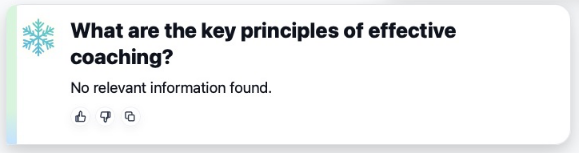
A “No relevant information found” result means this request did not produce a useful answer from the selected knowledge. Check the active agent, use words from the source, or ask a more focused question. A payslip question will not help if the current agent does not contain the payslip course.
Use feedback for an answer problem. Use Chat History to return to earlier work, or New Chat to begin a separate topic.