
SCORM modules & course navigation
Open the learning section behind an answer, including relevant slides and embedded media.
Open a learning course
SCORM is a packaged e-learning course. It can contain lessons, interactive slides, quizzes, audio, and video. When a course supports an answer, it appears as a source chip under View Sources.
For example, ask “What information should be included on a payslip?” and select the payslip course chip. The course opens below the chips, with its own lesson navigation and playback controls.
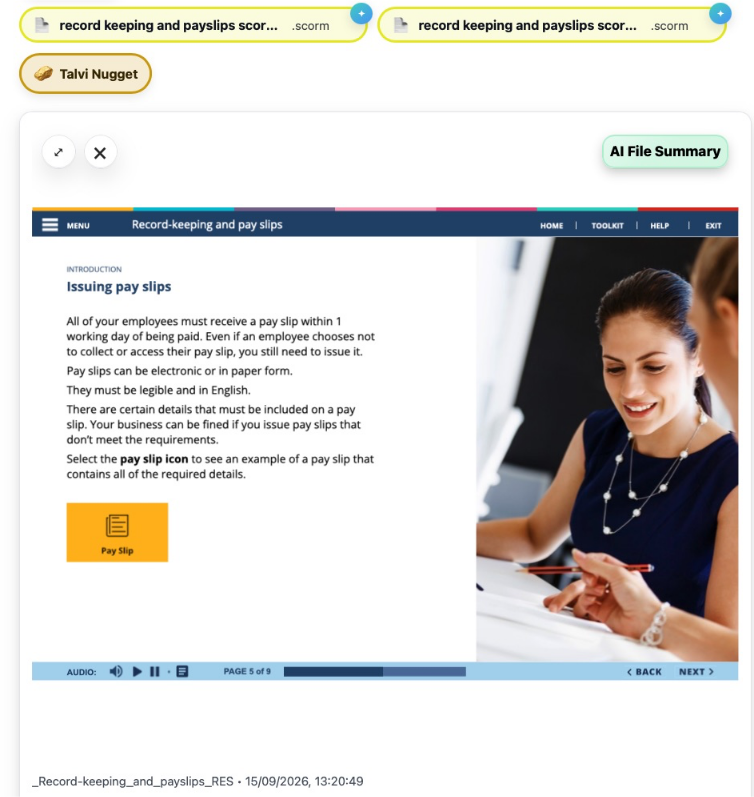
Several chips can lead to different sections of the same course. Select a chip to open the relevant section, then use the course’s Menu, Back, or Next controls to explore further. Some courses first ask you to Start or Resume.
Jump to a lesson or media moment
Talvi uses the source’s location information to open the relevant module, lesson, or slide. For audio or video inside a course, it can also seek to the relevant timestamp after opening the right section.
Exact navigation depends on the course. If it opens at the beginning or a nearby section, use the course menu to find the material you need. See audio and video timestamps for standalone recordings.
Explore the course summary
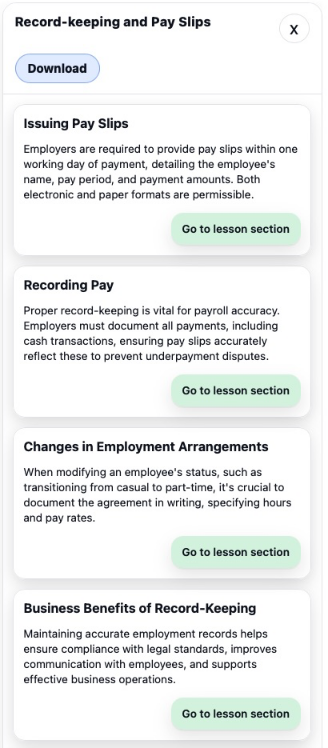
Select AI File Summary to browse the course outline. Use Go to lesson section or Go to slide to open a section. In a payslip course, these might include Issuing Pay Slips and Recording Pay.
Ask about the course
Use the coaching icon on a source chip to open Talvi Coach and ask questions about that course. Select Change file to leave the file focus.
Opening a course in Talvi does not by itself confirm LMS completion or certification.