
Feedback & help
Tell the team what needs attention, or follow the guided walkthrough.
Rate a response
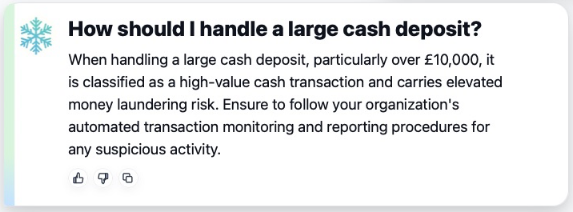
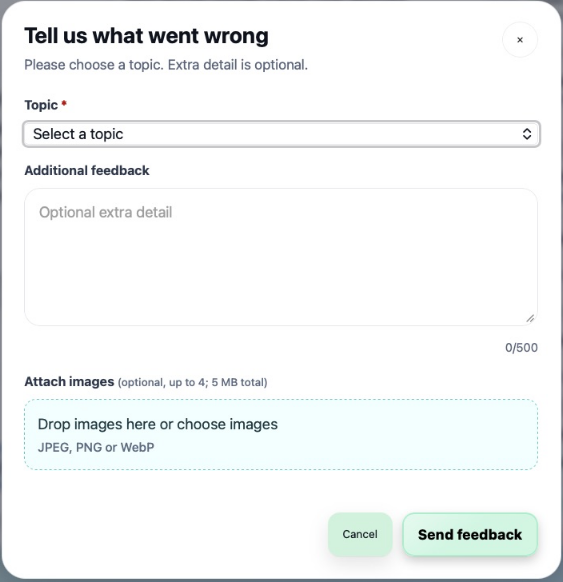
Use Thumbs up for a helpful answer; this immediately submits the positive rating without opening a dialog. Thumbs down opens a feedback dialog so you can explain the problem. Choose a topic, then add optional detail. These controls are attached to the particular answer rather than to the whole page.
Once a rating is saved, the controls for that item are locked. A confirmation message acknowledges receipt; if saving fails, Talvi shows an error. Opening the thumbs-down dialog alone does not submit a rating.
Share general feedback
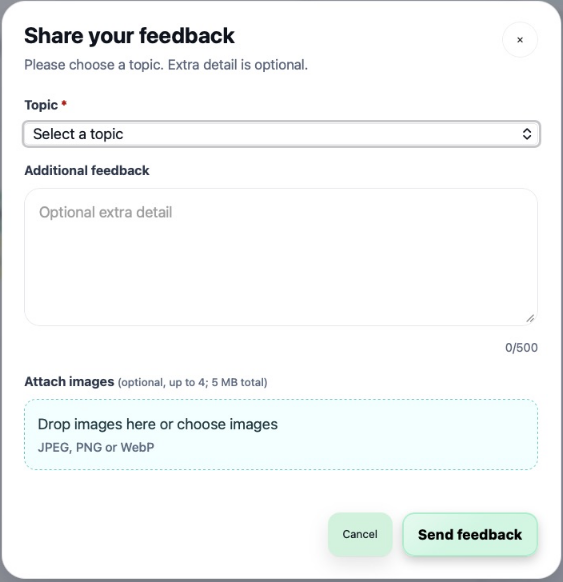
Select Share feedback in Help & Support for a broader product comment. Choose a topic and provide enough detail to reproduce the issue: the agent, your question, the source name, and what you expected.
The optional description is limited to 500 characters. You can attach up to four images, with a 5 MB combined limit, in JPEG, PNG, or WebP format. Choose images or drop them into the attachment area, review the preview, then select Send feedback. Use Cancel or the close control to leave without submitting.
Avoid including passwords, Magic Links, or unrelated personal information in feedback images. The same dialog structure supports feedback about answers and Nuggets, with topics appropriate to the item.
Follow Interactive Demo
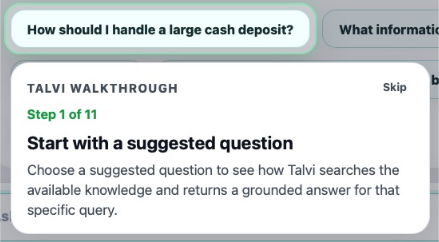
Select Interactive Demo to start the in-page walkthrough. It highlights actual controls as you use them: a starter question, More details, sources, AI File Summary, file-focused coaching, and Nuggets when enabled. Steps can differ by agent. Select Skip to leave the walkthrough.
This is an interactive tour of the live interface; asking questions and creating content during the tour performs those actions. For a reference you can read without interacting with the app, use the How To Guide.
Security information
The Your data is secure – find out more link opens Talvi’s security information in another tab. Account also provides Privacy policy and GDPR links. If a request or source fails, see Troubleshooting before retrying.