How To Guide
Use the built-in reference page to remember the Ask → Check → Create workflow.
Open the built-in guide
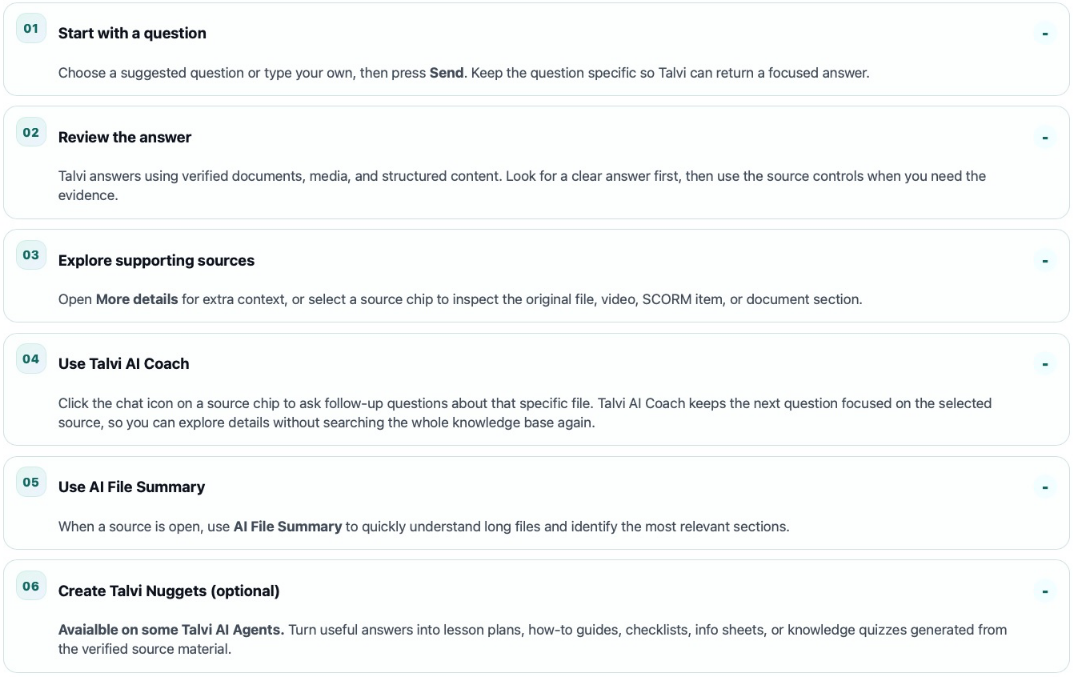
Select How To Guide in the platform’s top navigation. The page introduces three stages: Ask, Check, and Create. Its Ask a question link returns you to Get Answers.
Expand the six steps
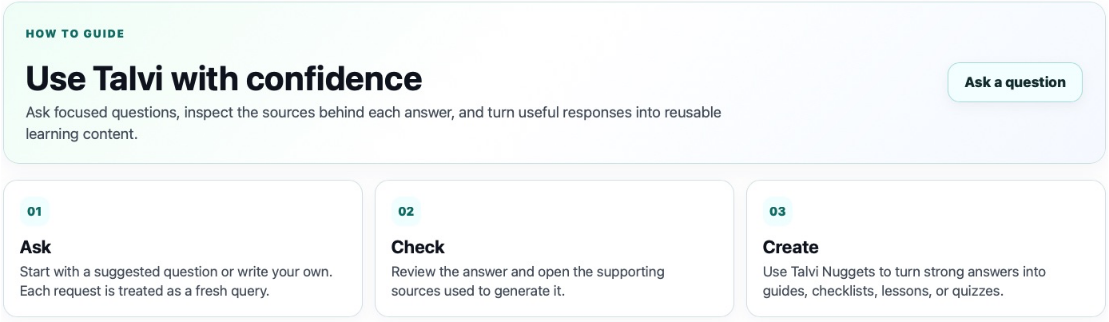
The workflow uses expandable sections. Select a heading to open or close its explanation. The first step is initially open.
- Start with a question: choose a suggestion or write a focused request.
- Review the answer: read the response before exploring the evidence.
- Explore supporting sources: open More details or a source chip.
- Use Talvi AI Coach: focus questions on a particular file.
- Use AI File Summary: scan a longer file and jump to relevant sections.
- Create Talvi Nuggets (optional): turn useful material into a learning format where the agent allows it.
This wiki expands those short explanations into question-writing, source navigation, coaching, and Nugget guides. The built-in page’s “Grounded in real data” section describes traceable sources; always inspect the source context when accuracy matters.