
Create Talvi Nuggets
Turn a useful answer and its supporting material into reusable learning content.
Start from an answer
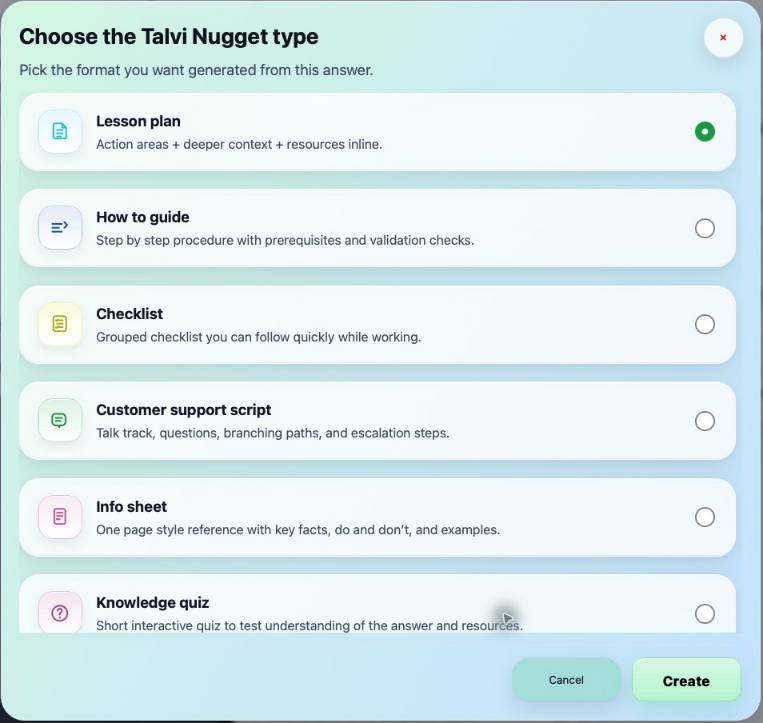
Nuggets are available only when the active agent enables them. After a suitable answer, select the gold Talvi Nugget control in the sources area. Choose the format you want and select Create. Generation uses the answer and supporting source material; it is more than saving a copy of the short response.
If a Nugget already exists for that answer, Talvi can offer to open it or create another. Select an existing item to revisit it, or choose to create a new one.
Choose a format
| Format | Useful when you want… |
|---|---|
| Lesson plan | Action areas, deeper context, and linked resources. |
| How to guide | A procedure with prerequisites and checks. |
| Checklist | A compact set of tasks to follow while working. |
| Customer support script | A talk track, questions, branches, and escalation steps. |
| Info sheet | A concise reference with key facts and examples. |
| Knowledge quiz | An interactive check of understanding. |
| Flashcards | Quick review of terms, ideas, and procedures. |
Find and open a Nugget
The Talvi Nuggets panel lists saved items. Select a title to open its viewer. A Pending badge means the item needs approval and activation by a Talvi administrator. Clicking a pending item in the list shows an explanation; it does not open until approved. Refresh after approval. Approved items can be opened. The viewer’s controls and available exports can vary by generated format.
Review generated content against its sources before using it for training. Quiz or flashcard responses are learning interactions, not a guarantee of formal certification.
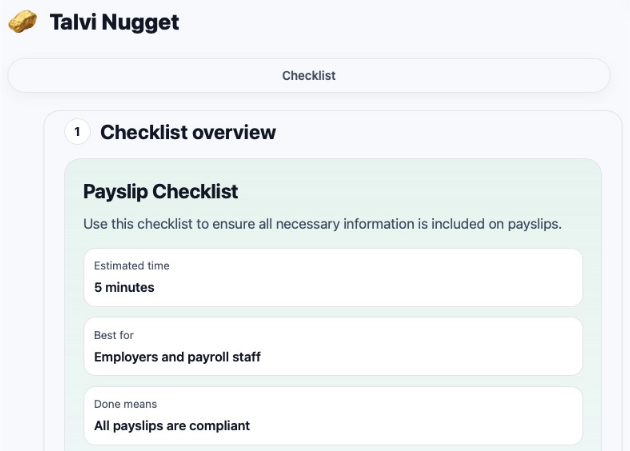
The example shows the viewer immediately after generation. Returning to a Pending item through the saved list is subject to administrator approval.
Organise your learning
Use a star to add or remove a Nugget from favourites. Favourites are grouped separately. The bin control asks for confirmation before deletion. Do not remove a Nugget you still need; there is no restore action documented in this customer interface.
Feedback on a Nugget is distinct from feedback on the original answer. See Feedback & help, or revisit the supporting sources.