
Assign and distribute Talvi Nuggets
Find learning content for a knowledge gap and make it available to the right people.
What you will achieve
Use an identified knowledge gap to find a relevant Talvi Nugget and distribute it to other users, including everyone in the available user list.
1. Identify a topic that needs support
Use recurring questions, user feedback, or Nugget analysis reports to identify an area worth reinforcing. For example, repeated payslip questions may suggest that a short reference sheet or checklist would help.
A popular keyword is a signal to investigate, not proof that every person lacks the same knowledge. Check the context before choosing content to distribute.
2. Filter and review relevant Nuggets
Open Talvi Nuggets in the admin dashboard. Choose relevant Topics & keywords, such as payslips. You can also narrow the source agent and creation dates. Select View on a suitable Nugget and read it before assigning it.
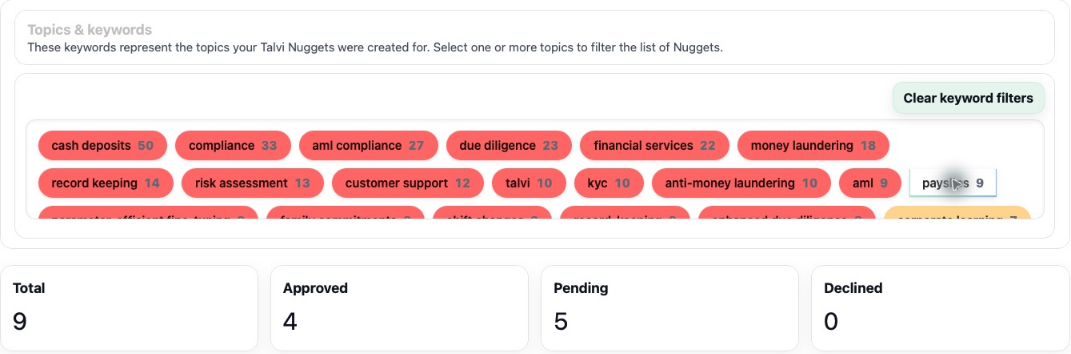
Check that the content addresses the gap and is appropriate for the intended audience. If nothing suitable exists, create a Talvi Nugget from a useful source-backed answer and review it first.
3. Confirm approval and publication
In the viewer, check Status and Published. Use Change status to approve reviewed content, and Change published to publish it. Approval, publication, and user access are separate decisions; assigning users alone does not publish a Pending or Declined Nugget.

4. Assign the audience
Select User access. Search and select individual users, or clear the search and choose Select all to include everyone in the available list. Review the selected users, then select Save.
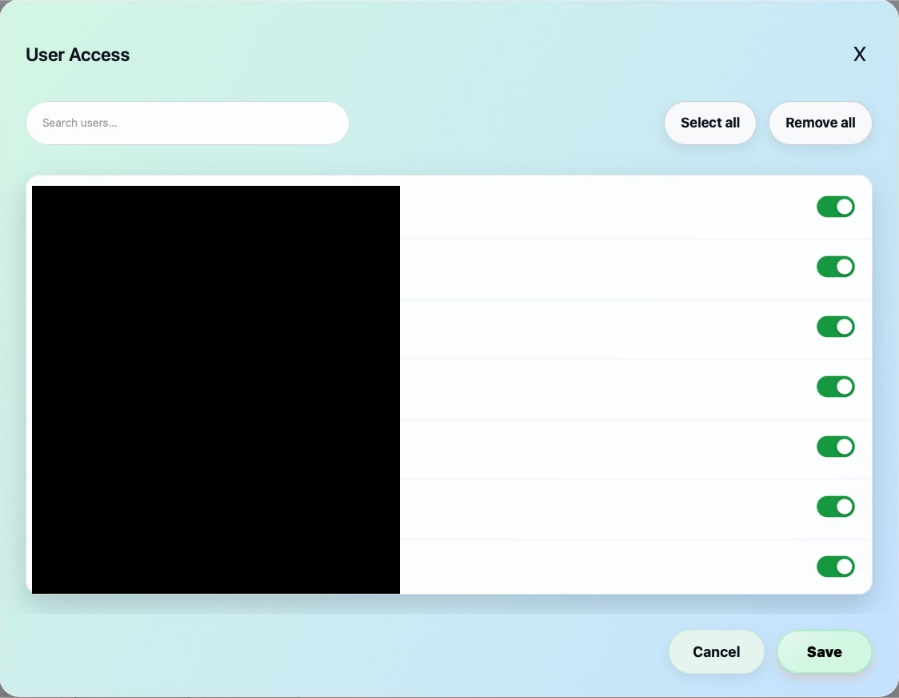
Select all applies to the current search results. If a search is active, only matching users are added. Clear it before selecting all when you intend broad distribution. This saves the selected accounts; review access again when your audience changes.
To withdraw access later, switch off individual users, or use Remove all for the current search results, then Save. This changes the audience without deleting the Nugget.
5. Check the recipient experience
Once approved, published, and assigned, the Nugget is available in recipients’ signed-in Talvi accounts through the Talvi Nuggets panel. They can refresh their view, open it, and use the learning material. Assignment makes it available; it does not mean the user has read or completed it.
Use views, favourites, feedback, and a later analysis report to review whether the material is helping. If it does not appear, check all three controls: approval, publication, and the saved user selection.
Result: useful knowledge is reused across the intended audience rather than remaining useful to only its original creator.
See also: Review & publish Talvi Nuggets · Find and open a Nugget.